
Samsung
Samsung · AR / VR · Filed Jul 7, 2026 · USPTO published Nov 12, 2026 · This week's release
Samsung Patents a Headset That Turns Your Wall Poster Into a Moving Waterfall
Samsung's patent describes a headset that notices when you have stopped working, hides your floating menus, and brings a plant or wall poster in your real room to life. The goal is to give tired eyes a break without taking the headset off.
- Publication number
- US 2026/0360097 A1(US20260360097A1)
- Applicant
- Samsung Electronics Co., Ltd.
- Filed · Published
- Jul 7, 2026 · Nov 12, 2026
- Inventors
- Dongil SON, Sooryuh KIM, Chaeyeon SON, Sunggeun AHN, Kwangyong LIM, Bokun CHOI
- Status when we published
- Waiting for an examiner
- Document
- 20 claims
- US classification
- 345/419
- Parent application
- Continuation of PCT/KR2024/017056 (filed Nov 1, 2024)(PCTKR2024017056)
What Samsung's relaxation mode does to your room
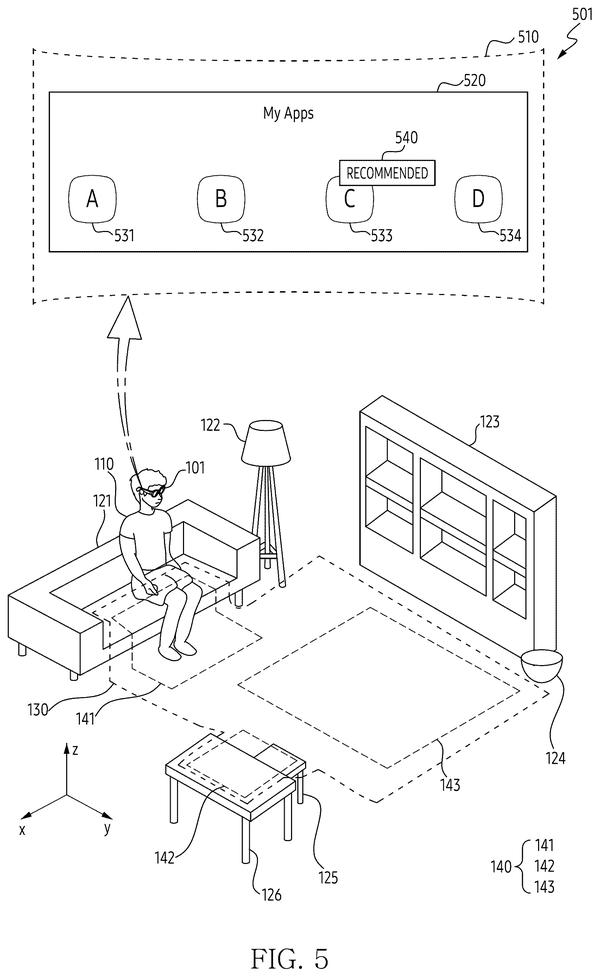
Every time you look away from the floating windows in a headset, those windows are still hanging in the air, waiting for you to tap them. Your eyes never get a real rest. Samsung's patent describes a fix: a relaxation mode that starts when you seem done interacting.
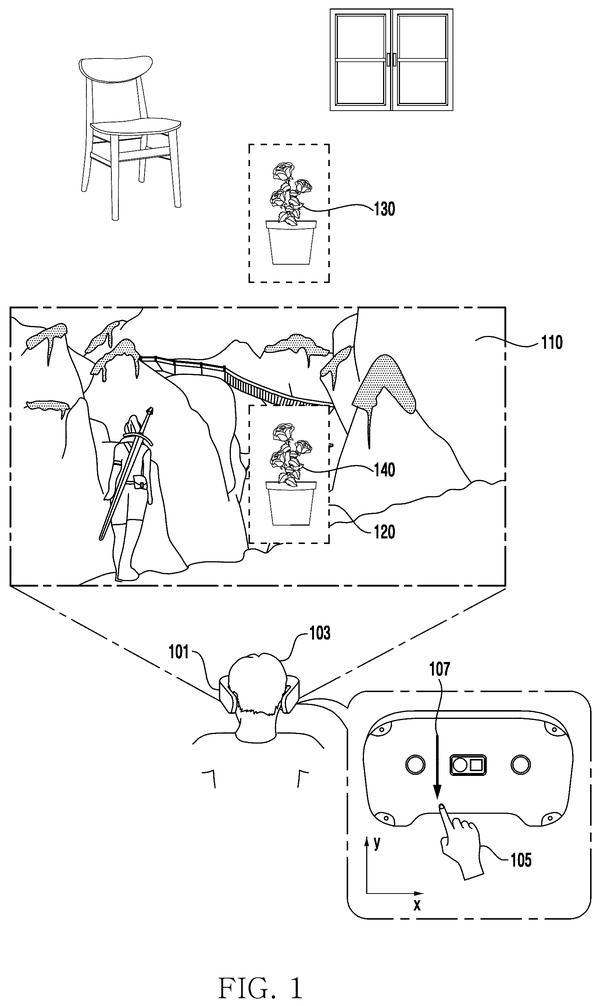
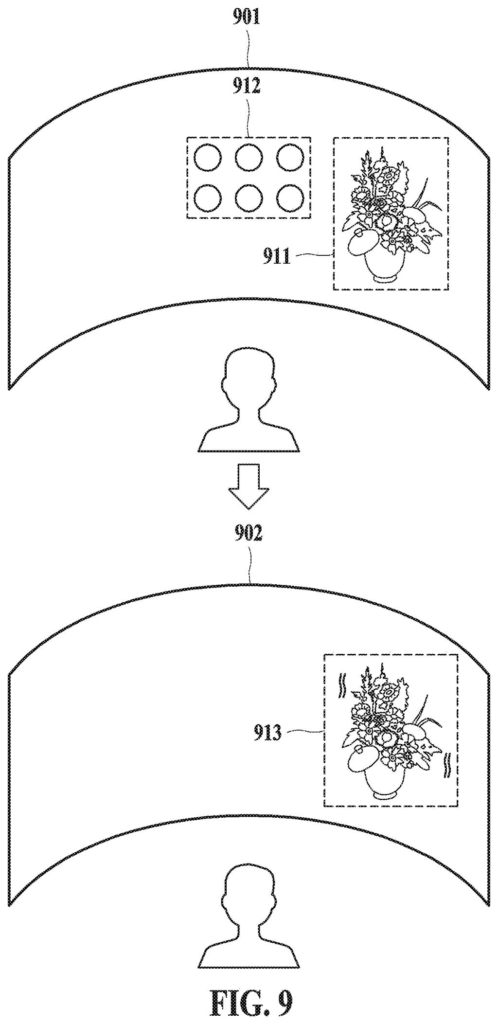
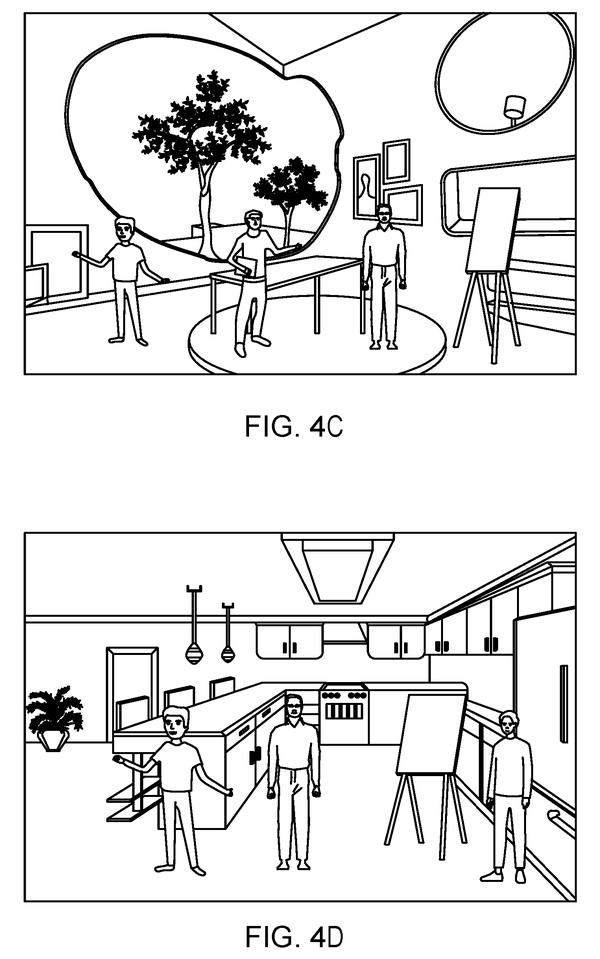
The headset spots an everyday object in your room, like a potted plant, a poster of a waterfall, or a window. Then it makes a short video of that object coming to life. The plant sways in the breeze and the waterfall pours. Your icons and menus step out of the way while it plays, and the video can match the real weather or time of day outside, with matching sounds.
Reach for the controls again, or get a phone call, and the calm scene stops and your menus come back.
obtain image information corresponding to a target object determined among physical objects disposed in a physical space around the electronic device …
Translation: The headset scans real objects around you to pick one to modify.
How the headset picks and animates an object
The headset first picks a target object from the real room around you. The description says it can score objects and choose the best candidates, favoring things that could move, such as a plant pot, flag or pinwheel, or things that show a scene, such as a poster, picture frame, door or window. It crops that object out of a stereoscopic image (a pair of slightly different images, one per eye, that creates a sense of depth).
Next it builds content from that crop plus ambient information, meaning local weather and time. A content generation model (an AI model that creates video from an image) does the work, either on the headset or on a server. A waterfall poster might become a rainy or sunset waterfall, with matching sound.
The trigger is a condition. The claims name three examples:
- Your gaze stays off every interactive item for a set time.
- Your biometric readings, such as heart rate or stress, meet a preset condition.
- You give no input for a set time.
When that happens, the headset deactivates the interaction object (an icon, widget or window you can manipulate) by hiding it, fading it, or ignoring taps on it. It then plays the video over the target object. Music can keep playing. Menus pinned to the room can stay, while ones that float with your head go away. A phone call, an alarm, or someone walking up can end the mode.
… output the obtained content in an area corresponding to the target object through the display …
Translation: It projects digital media directly over that real object on your screen.
Why a calm mode matters for wearable headsets
Wearing a headset for hours is tiring, partly because there is always something to look at, tap or dismiss. A built-in break mode would let you rest your eyes and attention while staying in the headset, without hunting for an off switch. You could also use it as a way to make your room feel livelier while you wind down.
For Samsung, the filing is about the feel of wearing the device all day. It uses the cameras and eye tracking a headset already has, and it ties the calm mode to signals like where you look and what your body is doing. The description also covers picking several objects and playing their content in priority order, so a full room could change gradually.
Samsung's 83rd filing we've tracked since May in the AR glasses race builds on earlier applications for slim light-bouncing lenses and faster real-object tracking.
Source: US 2026/0360097 A1 at the USPTO (PDF). Full patent text and figures are in the official publication.
Get our take in your Top Stories
Liked this breakdown? Add Patentlyze as a preferred source on Google, and our plain-English take shows up more often in your Top Stories the next time Samsung patent news breaks.
Add Patentlyze on Google
One click.
There are more where this came from
We read every patent application Big Tech publishes and send you the ones worth knowing. Plain English, free, every week.
The drawings · 15 sheets
15 drawing sheets from US 2026/0360097 A1 · click any drawing to enlarge


Show the other 7 sheets


More from Samsung
All 1,629 Samsung patents →
More in AR / VR
All 690 AR / VR patents →
Sony
Sony Files Patent for Headset That Fades Virtual Objects Blocking Your Real Hand
Qualcomm
Qualcomm Files Patent to Let a Phone Tell a Headset How Much Video to Send
Qualcomm
Qualcomm Files Patent to Let Your Phone Do the Heavy Lifting on a Headset's Video
Meta
No comments yet