
Apple
Apple · AR / VR · Filed Feb 9, 2026 · USPTO published Nov 19, 2026 · This week's release
Apple Files Patent for a Floating 3D Assistant That Reacts to Your Voice and Hands
Apple's headset assistant might not be a flat icon at all. This patent application pictures a floating 3D object that bends when you push it and changes with your voice and hand movements.
- Publication number
- US 2026/0368982 A1(US20260368982A1)
- Applicant
- Apple Inc.
- Filed · Published
- Feb 9, 2026 · Nov 19, 2026
- Inventors
- Yiyao NIE
- Status when we published
- Waiting for an examiner
- Document
- 28 claims
- US classification
- 345/426
- Parent application
- Claims priority from a provisional application 63805039 (filed May 13, 2025)
What Apple's reactive 3D assistant actually does
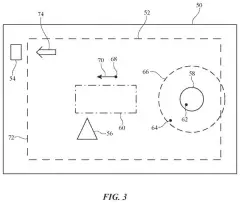
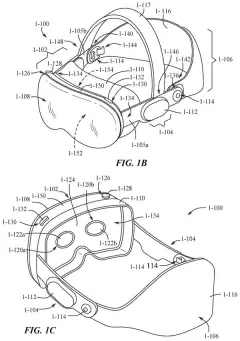
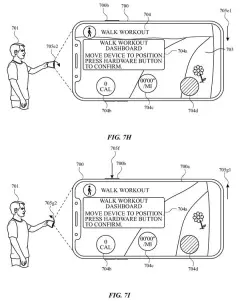
Imagine you're wearing a headset and you speak to your digital assistant. Instead of a flat icon in the corner, a small 3D object floats in front of you. It reacts to your voice, and when you reach out and nudge it, it slides aside and bends a little as if it had weight.
Apple's patent application is about making that object feel alive. The assistant's look and movement are controlled by a set of rules covering its lighting, where it sits, its shape and its motion. When you interact with it in a different way, say by speaking or by moving your hand, the system swaps in a different set of rules.
The object can also behave one way while it thinks about your request and another way while it shows the answer. The answer window can even borrow colors from the same rules, so everything looks like it belongs together.
displaying, via the one or more display generation components, a digital assistant indicator, wherein displaying the digital assistant indicator includes rendering the digital assistant indicator as a three-dimensional object using a respective set of one or more three-dimensional behavior models …
Translation: The system shows a 3D digital assistant object on screen using specific behavior models.
How the assistant's look shifts with each input
The claims cover a computer system that draws a digital assistant indicator (the visual stand-in for the assistant, like an icon but in 3D) as a three-dimensional object. The object is drawn using behavior models, which are bundles of rules that decide how it looks and acts.
While the object is on display, the system watches for a user interaction. If the interaction is one type, such as speech, it switches to a second set of models. If it is a different type, such as a hand movement, it switches to a third, different set. The assistant's behavior changes without adding anything else to the screen.
The filing and its dependent claims describe several kinds of models:
- Lighting: reflections that shift with your viewing angle.
- Placement: where the object sits in 3D space. A hand movement can move it, and a poke can push it off its spot temporarily.
- Form: the object's shape, including simulated inertia that distorts it while it moves, and an adjustable "amorphousness" (how loose and shapeless it looks).
- Animation and visual prominence: how it moves and how much it stands out.
Audio input can change the object based on the sound itself, and hand-based models respond to where and how your hand moves. Different models can apply while a request is processing and while the answer is showing. A request for extra content can end the assistant's "focus state" and switch the object to another set of models, such as one without its earlier lighting.
… in response to detecting a user interaction with the computer system, changes the behavior models used to render the digital assistant indicator based on the type of the detected user interaction …
Translation: When you interact with the system, it changes how the 3D assistant behaves depending on what you did.
Why a reactive assistant matters for headsets
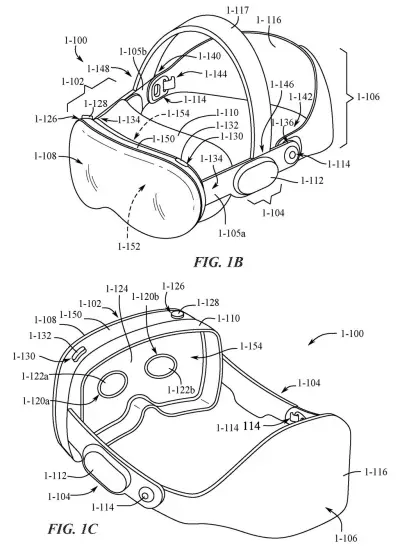
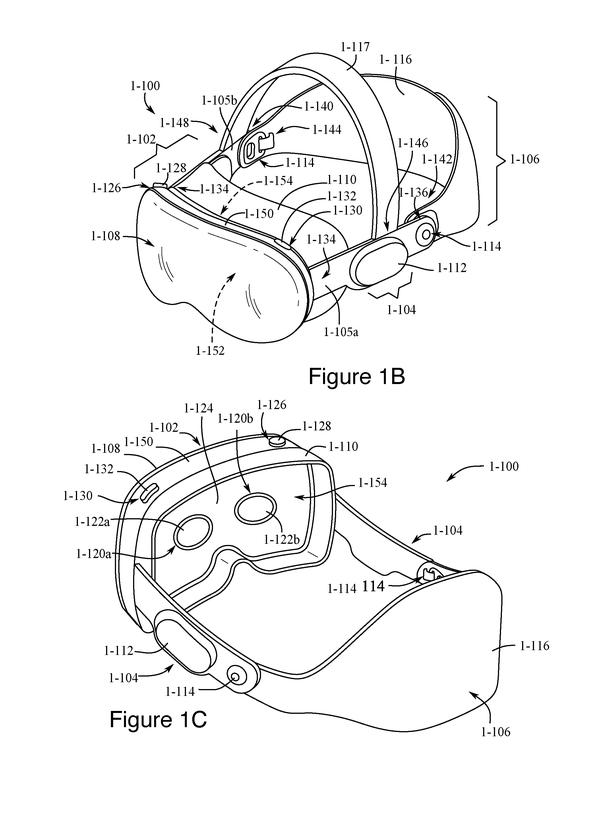
If you wear a mixed reality headset, the assistant has to share your view with your real room and every app window. A 3D object that shows its status through light, shape and motion could cut down on extra text and pop-ups, which the filing says can distract you, block your view and break immersion.
The filing also argues that clearer feedback means fewer wasted inputs, and that more efficient interfaces save battery and reduce heat on wearable devices. Nothing in it names a product, though a headset is the obvious home for the idea. Treat it as a design direction for how a headset assistant could look, with no sign of when, or whether, it ships.
This is the 136th Apple filing we've tracked since May on our AR glasses watchlist, following earlier applications on rotating headset labels and headsets that track lost items.
Source: US 2026/0368982 A1 at the USPTO (PDF). Full patent text and figures are in the official publication.
Get our take in your Top Stories
Liked this breakdown? Add Patentlyze as a preferred source on Google, and our plain-English take shows up more often in your Top Stories the next time Apple patent news breaks.
Add Patentlyze on Google
One click.
There are more where this came from
We read every patent application Big Tech publishes and send you the ones worth knowing. Plain English, free, every week.
The drawings · 29 sheets
29 drawing sheets from US 2026/0368982 A1 · click any drawing to enlarge


Show the other 21 sheets


More from Apple
All 748 Apple patents →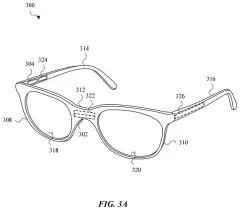
More in AR / VR
All 713 AR / VR patents →
Apple
Apple Files Patent for a Food Tracker That Asks When It's Unsure
Apple
Apple Files Patent for a Headset That Stops Talking When You Tilt Your Head
Apple
Apple Patents a Fix for Virtual Hands That Jump Between Headset Cameras
Apple
No comments yet