Get the newsletter
Apple · Software · Filed May 4, 2026 · USPTO published Nov 19, 2026 · This week's release

Apple Patents a Cursor That Lets You Drag Handwritten Notes Around

Typed text has had a movable cursor for decades. Apple's latest filing gives handwriting one, and it changes its look depending on which way you push your words.
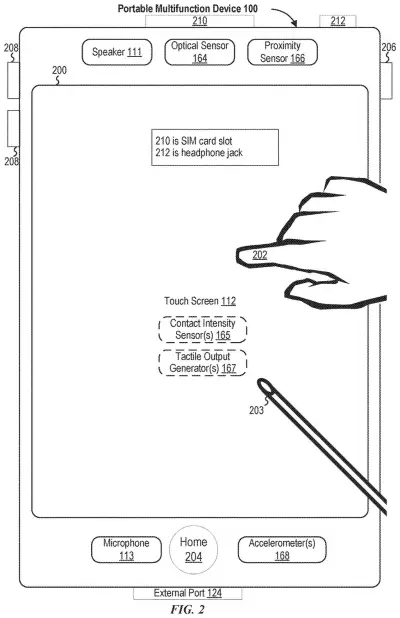
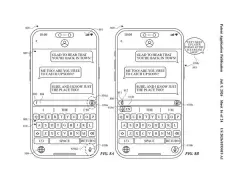
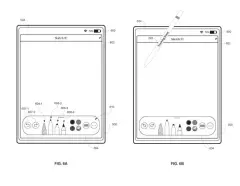
A touchscreen tablet operated with both finger touches and a digital pen. Drawing from patent filing US 2026/0367765 A1.
A touchscreen tablet operated with both finger touches and a digital pen.All 48 drawings ↓
Publication number
US 2026/0367765 A1(US20260367765A1)
Applicant
Apple Inc.
Filed · Published
May 4, 2026 · Nov 19, 2026
Inventors
Marisa R. LU, William J. THIMBLEBY
Status when we published
Waiting for an examiner
Document
23 claims
US classification
715/268
Parent application
Claims priority from a provisional application 63808584 (filed May 19, 2025)

What Apple's handwriting cursor actually does

Ever tried to squeeze one more line into the middle of a page of handwritten notes? On paper you draw arrows and cross things out. On a screen, you tend to erase and rewrite.

Apple's patent application describes a small cursor that appears in a handwriting app when you make a certain gesture on your writing. Drag it one way and the words slide along with it. Drag it another way and the cursor changes its appearance to show the words are now moving in a different direction. In one version, the two directions are at right angles, like sideways versus up and down.

Typed text has long had a cursor you can nudge around. This brings a version of that to ink, along with a few guardrails, such as an adjustable boundary and a springy animation, so your writing lands where you meant it to.

From the filing · CLAIM 1
displaying, via the one or more display generation components, a cursor at the first location in the user interface, wherein the cursor is for moving, in the user interface, a first portion of the sequence of characters in a first direction, the cursor having a first appearance; …

Translation: The device shows a cursor at a specific spot to drag part of your handwriting in a certain direction.

How the cursor changes look as you drag

The claims cover a method for a device with a display and some way to take input, such as a finger, stylus or mouse. While the screen shows handwritten content (a sequence of characters), the device detects an input at a spot in the interface and puts a cursor there. That cursor is meant for moving a portion of the characters in a first direction, and it has a first appearance.

When a second input on the cursor meets certain criteria (conditions the filing sets, such as which direction the drag mostly follows), the cursor switches to a second appearance and the characters move in a different direction to a new location. In dependent claims the two directions are orthogonal (at right angles), and the test compares how much of the drag runs along each direction, in distance, speed or acceleration. If the criteria are not met, the cursor keeps its first look and the text moves in the first direction.

The filing also describes extras:

  • A boundary that keeps the cursor inside a set area, with a visual outline you can show and, in some cases, adjust in only certain directions.
  • An animation when you push past that boundary, sized to how far you pushed.
  • A spring animation (a bouncy, elastic motion) as the text trails the cursor.
  • Movement in smooth distances in one direction and in set steps in the other.
  • Separate gestures for showing a moving boundary or for selecting a different piece of the writing.

The filing's example setting is a free-form handwriting app for notes, sketches and lists.

From the filing · THE ABSTRACT
… the electronic device displays the cursor with an appearance corresponding to a direction the cursor is used to move the portion of the representation of handwritten content.

Translation: The cursor changes how it looks based on which way you are dragging your handwritten notes.

Why rearranging handwriting matters on iPad

Handwritten notes on a tablet or phone are only as useful as they are easy to fix. If you write a list and realize an item belongs higher up, a dedicated way to slide it into place saves you from erasing and rewriting. The boundary and spring animations in the filing suggest Apple is tuning how the drag feels, down to how it behaves when you overshoot.

The filing names iPhone, iPad and other touch devices as examples, and also allows mice and styluses, so the same idea could apply wherever you write by hand. It describes the feature as one piece of a free-form handwriting app, which makes it a refinement to note-taking rather than a new product.

This is the 730th Apple filing in our Apple coverage since May, adding to a run that includes the group chat poll idea and the private headset view.

Source: US 2026/0367765 A1 at the USPTO (PDF). Full patent text and figures are in the official publication.

Get our take in your Top Stories

Liked this breakdown? Add Patentlyze as a preferred source on Google, and our plain-English take shows up more often in your Top Stories the next time Apple patent news breaks.

There are more where this came from

We read every patent application Big Tech publishes and send you the ones worth knowing. Plain English, free, every week.

The drawings · 48 sheets

48 drawing sheets from US 2026/0367765 A1 · click any drawing to enlarge

Hardware parts and software built into the touchscreen phone, drawing sheet 1 from US 2026/0367765 A1
Sheet 1 Hardware parts and software built into the touchscreen phone
How apps detect and respond to touches on the screen, drawing sheet 2 from US 2026/0367765 A1
Sheet 2 How apps detect and respond to touches on the screen
Screen controls that accept finger taps and stylus input, drawing sheet 3 from US 2026/0367765 A1
Sheet 3 Screen controls that accept finger taps and stylus input
Internal parts of a computer running drawing and office software, drawing sheet 4 from US 2026/0367765 A1
Sheet 4 Internal parts of a computer running drawing and office software
Basic steps for apps to share and process information, drawing sheet 5 from US 2026/0367765 A1
Sheet 5 Basic steps for apps to share and process information
Software layers that let apps communicate with the main system, drawing sheet 6 from US 2026/0367765 A1
Sheet 6 Software layers that let apps communicate with the main system
Sending requests and returning results between apps and software tools, drawing sheet 7 from US 2026/0367765 A1
Sheet 7 Sending requests and returning results between apps and software tools
Phone home screen showing icons for built-in apps and widgets, drawing sheet 8 from US 2026/0367765 A1
Sheet 8 Phone home screen showing icons for built-in apps and widgets
Show the other 40 sheets
Moving fingers on a separate trackpad to control screen items, drawing sheet 9 from US 2026/0367765 A1
Sheet 9 Moving fingers on a separate trackpad to control screen items
Front view of a smart watch with a touch screen, drawing sheet 10 from US 2026/0367765 A1
Sheet 10 Front view of a smart watch with a touch screen
Hardware parts that run the watch and detect user motion, drawing sheet 11 from US 2026/0367765 A1
Sheet 11 Hardware parts that run the watch and detect user motion
Corner sensors measuring how hard five fingers press down, drawing sheet 12 from US 2026/0367765 A1
Sheet 12 Corner sensors measuring how hard five fingers press down
Calculating touch pressure at distinct contact points across the screen, drawing sheet 13 from US 2026/0367765 A1
Sheet 13 Calculating touch pressure at distinct contact points across the screen
Lightly pressing a trackpad to hover over an app, drawing sheet 14 from US 2026/0367765 A1
Sheet 14 Lightly pressing a trackpad to hover over an app
Pressing harder on the trackpad to reveal a recent file, drawing sheet 15 from US 2026/0367765 A1
Sheet 15 Pressing harder on the trackpad to reveal a recent file
Increasing trackpad pressure further to pop open additional documents, drawing sheet 16 from US 2026/0367765 A1
Sheet 16 Increasing trackpad pressure further to pop open additional documents
Pressing harder on a trackpad reveals recent documents, drawing sheet 17 from US 2026/0367765 A1
Sheet 17 Pressing harder on a trackpad reveals recent documents
Starting a fresh handwritten note with a stylus, drawing sheet 18 from US 2026/0367765 A1
Sheet 18 Starting a fresh handwritten note with a stylus
Writing out paragraphs of text across the screen, drawing sheet 19 from US 2026/0367765 A1
Sheet 19 Writing out paragraphs of text across the screen
Scribbling over handwritten words to delete them, drawing sheet 20 from US 2026/0367765 A1
Sheet 20 Scribbling over handwritten words to delete them
A special insertion cursor appears where words were erased, drawing sheet 21 from US 2026/0367765 A1
Sheet 21 A special insertion cursor appears where words were erased
Dragging the cursor leftward with the stylus, drawing sheet 22 from US 2026/0367765 A1
Sheet 22 Dragging the cursor leftward with the stylus
Text reflows into the opened gap as you drag, drawing sheet 23 from US 2026/0367765 A1
Sheet 23 Text reflows into the opened gap as you drag
Releasing the stylus leaves the rearranged handwritten note, drawing sheet 24 from US 2026/0367765 A1
Sheet 24 Releasing the stylus leaves the rearranged handwritten note
Dropping the cursor directly onto a handwritten line, drawing sheet 25 from US 2026/0367765 A1
Sheet 25 Dropping the cursor directly onto a handwritten line
Writing a word right into an open gap, drawing sheet 26 from US 2026/0367765 A1
Sheet 26 Writing a word right into an open gap
Lifting the stylus once the insertion is complete, drawing sheet 27 from US 2026/0367765 A1
Sheet 27 Lifting the stylus once the insertion is complete
Enclosing a handwritten paragraph inside a selection box, drawing sheet 28 from US 2026/0367765 A1
Sheet 28 Enclosing a handwritten paragraph inside a selection box
Grabbing a corner handle with the stylus tip, drawing sheet 29 from US 2026/0367765 A1
Sheet 29 Grabbing a corner handle with the stylus tip
Dragging the corner handle to resize the block, drawing sheet 30 from US 2026/0367765 A1
Sheet 30 Dragging the corner handle to resize the block
Hovering the stylus over an active selection, drawing sheet 31 from US 2026/0367765 A1
Sheet 31 Hovering the stylus over an active selection
Bringing back the insertion cursor with a prolonged hover, drawing sheet 32 from US 2026/0367765 A1
Sheet 32 Bringing back the insertion cursor with a prolonged hover
Dragging handwritten text across the screen with a stylus, drawing sheet 33 from US 2026/0367765 A1
Sheet 33 Dragging handwritten text across the screen with a stylus
Moving a paragraph rightward to reformat handwritten notes, drawing sheet 34 from US 2026/0367765 A1
Sheet 34 Moving a paragraph rightward to reformat handwritten notes
Shifting selected handwriting to the left using a cursor, drawing sheet 35 from US 2026/0367765 A1
Sheet 35 Shifting selected handwriting to the left using a cursor
Light stylus pressure nudges the handwritten text leftward, drawing sheet 36 from US 2026/0367765 A1
Sheet 36 Light stylus pressure nudges the handwritten text leftward
Firm stylus pressure pushes handwritten notes farther left, drawing sheet 37 from US 2026/0367765 A1
Sheet 37 Firm stylus pressure pushes handwritten notes farther left
Pulling a paragraph upward with gentle stylus pressure, drawing sheet 38 from US 2026/0367765 A1
Sheet 38 Pulling a paragraph upward with gentle stylus pressure
Applying harder pressure to pull text upward more quickly, drawing sheet 39 from US 2026/0367765 A1
Sheet 39 Applying harder pressure to pull text upward more quickly
Tracking diagonal stylus movements to guide the handwriting cursor, drawing sheet 40 from US 2026/0367765 A1
Sheet 40 Tracking diagonal stylus movements to guide the handwriting cursor
Dragging up moves entire handwritten lines at once, drawing sheet 41 from US 2026/0367765 A1
Sheet 41 Dragging up moves entire handwritten lines at once
Moving diagonally switches the cursor into word insertion mode, drawing sheet 42 from US 2026/0367765 A1
Sheet 42 Moving diagonally switches the cursor into word insertion mode
Sliding horizontally past a limit confirms sideways spacing, drawing sheet 43 from US 2026/0367765 A1
Sheet 43 Sliding horizontally past a limit confirms sideways spacing
Double tapping a word with the pencil to select it, drawing sheet 44 from US 2026/0367765 A1
Sheet 44 Double tapping a word with the pencil to select it
Highlighting text brings up draggable boundary handles, drawing sheet 45 from US 2026/0367765 A1
Sheet 45 Highlighting text brings up draggable boundary handles
Pulling a selection handle across several written lines, drawing sheet 46 from US 2026/0367765 A1
Sheet 46 Pulling a selection handle across several written lines
Releasing the handle snaps the selection to entire words, drawing sheet 47 from US 2026/0367765 A1
Sheet 47 Releasing the handle snaps the selection to entire words
Steps for letting a cursor reshape and reposition handwriting, drawing sheet 48 from US 2026/0367765 A1
Sheet 48 Steps for letting a cursor reshape and reposition handwriting
Patent filing page

Reader comments

No comments yet

Start the discussion

Real name or a handle, either is fine. Comments are read by a person before they appear, so allow a little time. Keep it about the filing.