
Samsung
Samsung · Display · Filed Jun 25, 2026 · USPTO published Nov 12, 2026 · This week's release
Samsung Files Patent for TV Lights That Glow on Your Wall When a Message Arrives
Samsung's filing describes a TV that tells you a message arrived by changing the light on the wall behind it, near where the app would normally pop up. Your movie stays untouched until you decide to look.
- Publication number
- US 2026/0362568 A1(US20260362568A1)
- Applicant
- SAMSUNG ELECTRONICS CO., LTD.
- Filed · Published
- Jun 25, 2026 · Nov 12, 2026
- Inventors
- Donghun KANG, Sunmin SON, Sangyoon LEE, Jingun JUNG, Seungbin OH
- Status when we published
- Waiting for an examiner
- Document
- 20 claims
- US classification
- 345/419
- Parent application
- Continuation of PCT/KR2024/017353 (filed Nov 6, 2024)(PCTKR2024017353)
What Samsung's glowing TV notification does
Imagine you're halfway through a tense movie when a friend texts you. Today, a TV usually does one of two things: it ignores the message, so you never know, or it drops a box over the picture, which breaks the mood.
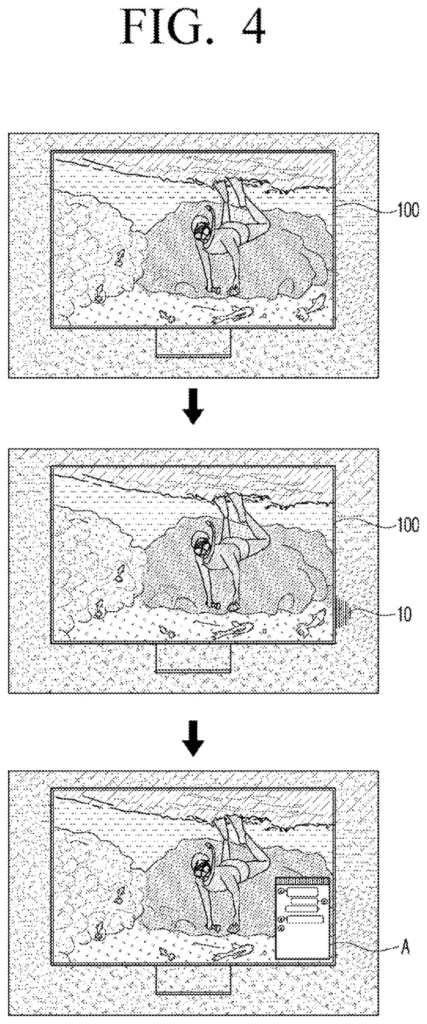
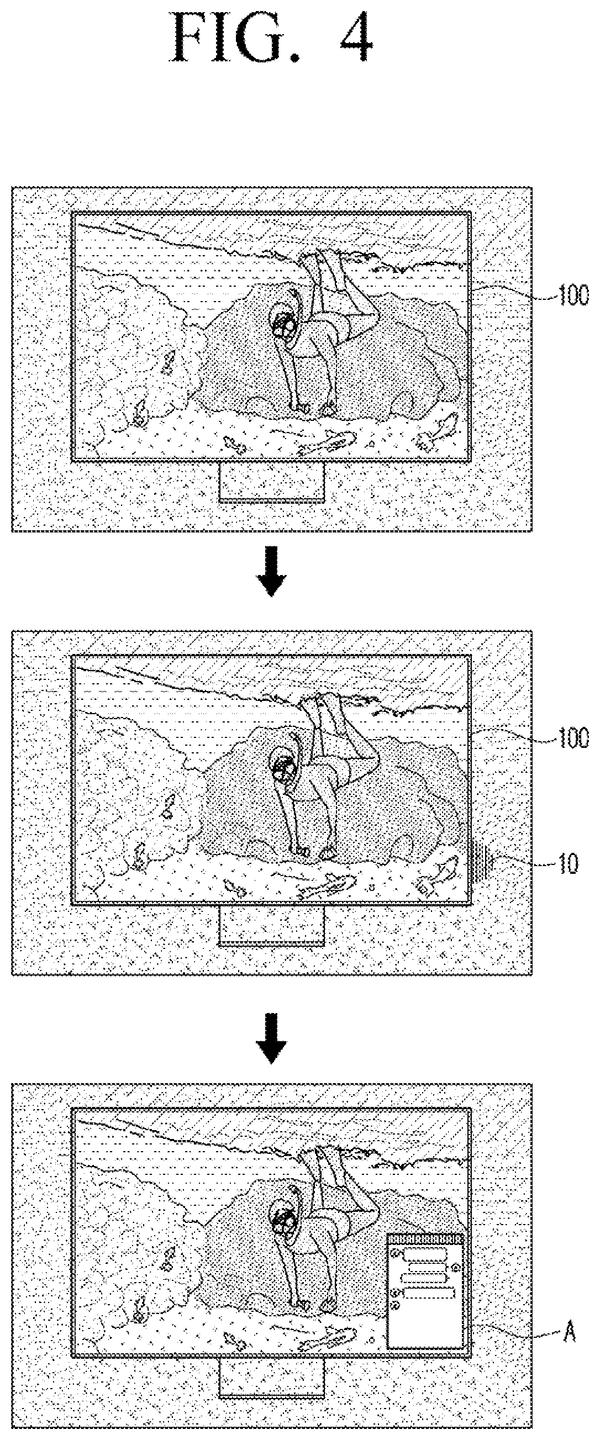
Samsung's filing describes a third option. Some TVs have small lights along the back edge that wash colors onto the wall to match the picture. Samsung would reuse those lights as a quiet alert. When a message arrives, the lights closest to the spot where that app would normally appear glow in the app's color.
If you notice the glow and want to read the message, you give a command and the notification shows up over the picture. The filing also describes giving each family member their own color, so you can tell whose message it is without looking away.
… a plurality of pixel elements on a front surface of the display and a plurality of light emitting elements on an edge region of a rear surface of the display …
Translation: The TV has regular pixels on the front and extra lights around the back edges.
How the rear-edge lights pick a spot and color
The display in the filing has two sets of lights. Ordinary pixels on the front show the picture. A row of small light-emitting elements along the edge of the back, split into left, right, top and bottom groups, shines onto the wall. Normally those back lights copy the colors from the matching part of the picture, like the surround lighting some TVs already have.
When a predetermined notification (a push alert, such as an instant message) arrives, the processor makes two choices:
- Where to glow: it uses location information on the screen tied to the notification, such as the previous or default spot where that app's window appears, and lights the elements next to that spot.
- What color to use: it uses color information related to the notification, such as the app's title-bar color, its main color, or a preset color.
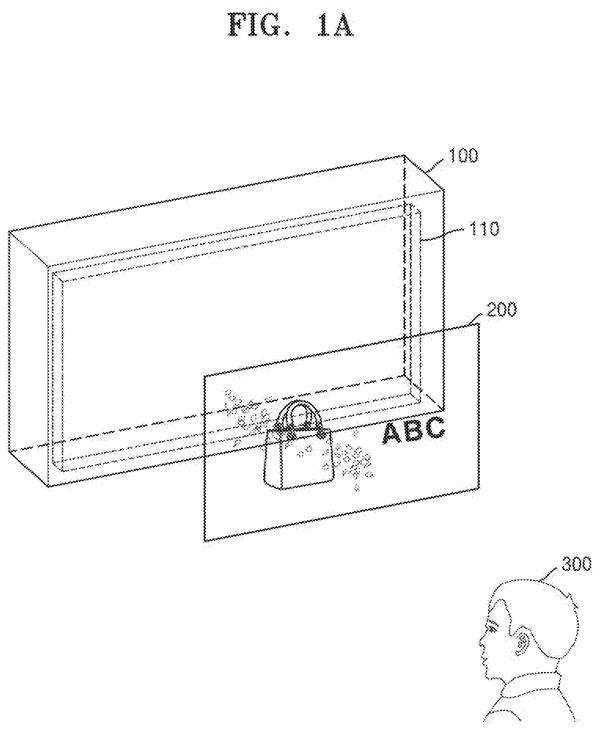
The glow can stay on or flicker for a set time (5 seconds in one example). If you respond, say with a remote or a camera that tracks where you're looking, the message appears over the picture and the lights go off or return to picture colors. On a glasses-free 3D screen, the message is brought forward by blurring the 3D image or pushing it back, to avoid eye strain.
The filing also describes a color for each person, a progress bar shown as a strip of light filling along the bottom edge, and alerts from a nearby device such as an air purifier, with the glow placed where the TV knows that device is.
… cause the at least one identified light emitting element to emit light based on color information related to the predetermined notification …
Translation: It makes the back lights glow in a specific color depending on what kind of alert comes in.
What this means for Samsung TV viewers
The practical payoff is a TV that can tell you something happened without making you stop watching. Anyone who has had a pop-up cover the last minute of an episode, or missed an important text because the screen stayed silent, will see the appeal. A glow on the wall is easy to ignore if you don't care and easy to spot if you do.
The filing goes beyond messages. The same lights could show a download or task progress along the bottom edge, point toward a home appliance that needs attention, or mark which player or video call participant is active. It builds on rear lighting the filing says TVs already use, so the idea is about new software rules for existing hardware rather than a new kind of screen.
Samsung's 133rd filing we've tracked in our display technology watchlist since May adds to a run that includes a floating hand-tracking screen and moisture-blocking holed screens.
Source: US 2026/0362568 A1 at the USPTO (PDF). Full patent text and figures are in the official publication.
Get our take in your Top Stories
Liked this breakdown? Add Patentlyze as a preferred source on Google, and our plain-English take shows up more often in your Top Stories the next time Samsung patent news breaks.
Add Patentlyze on Google
One click.
There are more where this came from
We read every patent application Big Tech publishes and send you the ones worth knowing. Plain English, free, every week.
The drawings · 13 sheets
13 drawing sheets from US 2026/0362568 A1 · click any drawing to enlarge


Show the other 5 sheets


More from Samsung
All 1,629 Samsung patents →
More in Display
All 730 Display patents →
Samsung
Samsung Patents a Phone Screen That Warms Up the Longer You Use It at Night
Samsung
Samsung Files Patent to Let a Smartphone Screen Recognize Which Ring Is Sitting on It
Samsung
Samsung Files Patent for a Screen That Shows Flat and 3D Images at Once
Samsung
No comments yet