
Google Patents a Camera That Reframes Around What You Tap
Every time you zoom in on a phone camera, the software just magnifies whatever is in the center. Google is patenting a system that watches where you tap and uses image analysis to find the most visually important subject at that spot, then reframes the shot around it.
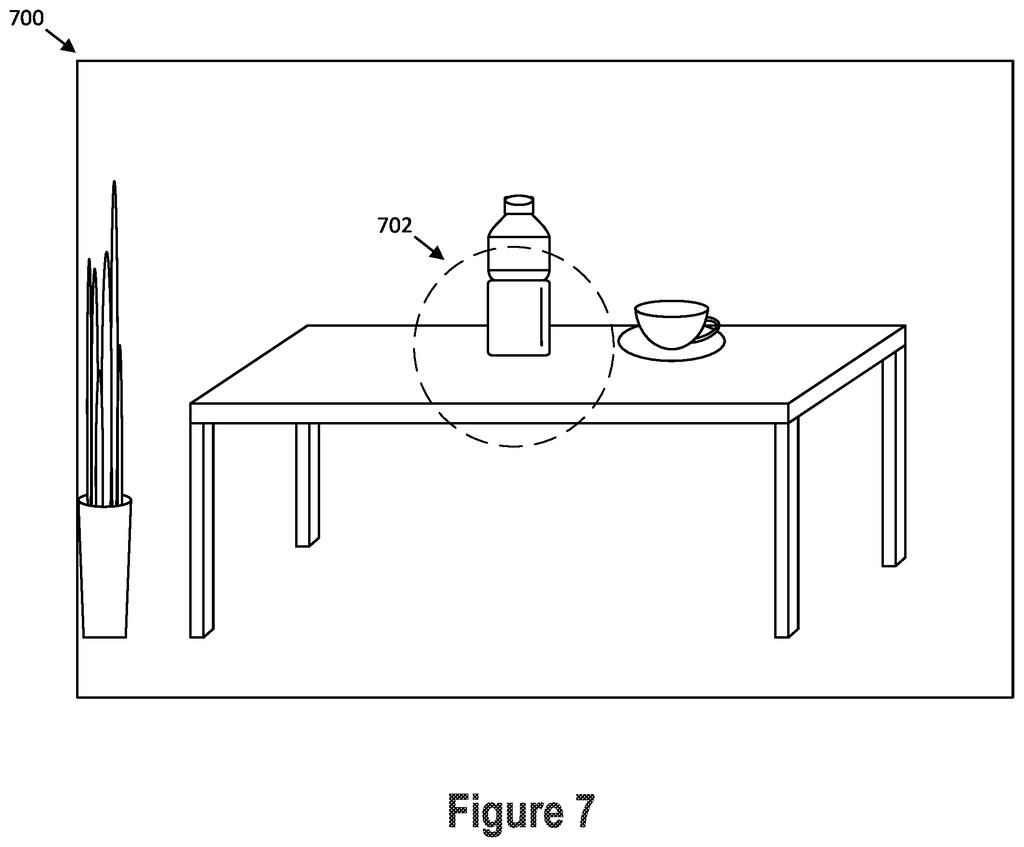
What Google's tap-and-reframe zoom actually does
A photographer holds up their phone to snap a crowded street scene. They tap roughly where a person is standing in the frame. Instead of just cropping to a box around that tap, the camera studies the image, finds the clearest subject nearby, and reframes itself around that subject automatically. Tap again on the new view and the whole process repeats, zooming in further.
That is what this Google patent describes. Your tap is treated as a rough hint, not a precise instruction. The camera's software figures out what you most likely meant to tap on, based on what is visually prominent in that area, and centers the frame on that instead.
The result is a kind of conversational zoom: you point loosely, the camera interprets, and you can keep pointing and refining until you have the shot you want. Each round of tapping produces a tighter crop than the last.
receiving a first user-indicated area associated with a displayed image; determining a first saliency region based on the first user-indicated area and the displayed image; causing a first zoomed-in image to be displayed based on the first saliency region …
Translation: The camera looks at what you tap on screen and zooms in on that specific area.
How the saliency engine picks each successive crop
The system works in two repeating steps: it takes a user's tapped area as input, runs an analysis to find the most visually prominent region near that tap, and then produces a cropped, zoomed image centered on that region.
Saliency detection (the process of finding what the eye is most drawn to in an image) does the heavy lifting. When you tap, the software does not simply zoom in on the exact pixel you touched. It computes a saliency region by weighing your tap location against the image content around it, identifying things like faces, sharp edges, or high-contrast subjects.
The loop is iterative:
- You tap on the full image, and the system generates a first zoomed view based on the saliency analysis of your tap.
- You tap again on that zoomed view, providing a new hint within the already-cropped frame.
- The system runs saliency analysis again, this time on the zoomed image, and produces a second, tighter crop.
The patent specifies that each successive zoomed image is further zoomed in than the previous one, meaning the system is designed for progressive refinement rather than jumping to a final destination in one step. The approach mirrors how a person might manually crop a photo multiple times, except the software is doing the compositional judgment at each stage.
… where the second zoomed-in image is further zoomed in than the first zoomed-in image.
Translation: You can tap a second time to zoom in even closer on the new view.
What this means for how phone cameras handle zoom
For everyday phone photography, this kind of system would make zoom feel less like a slider and more like a pointing gesture. Instead of carefully lining up a subject in the dead center of the frame before zooming, you could tap loosely in the right direction and let the camera do the compositional work. That matters most in fast-moving situations, such as photographing kids, sports, or wildlife, where there is no time to be precise.
Beyond stills, the underlying approach could apply to video framing, where keeping a subject centered while zooming in is a notoriously fiddly task. If granted, the patent's claim 1 covers any method that combines a user-indicated area with saliency analysis to produce progressive zoomed views, which is broad enough to cover a wide range of camera applications on any device.
Google's 60th filing we've tracked in our AI photo editing race since May follows earlier applications like one to sharpen streaming video and one for plain-English photo edits.
Claim 1 covers any method that takes a user-indicated area on a displayed image, uses it to compute a saliency region, shows a zoomed view, and then repeats that same sequence with a second tap on the zoomed view. Nothing in the claim limits it to a phone, a camera app, or a particular way of finding the salient subject. The only required ingredients are: a tap, a saliency calculation, a zoom, then a second tap and a second zoom.
That scope is wide. Any app on any device that lets users tap to trigger subject-aware reframing in a back-to-back zoom sequence would fall within the claim's reach, as written.
Whether this claim survives examination unchanged or gets narrowed during review will decide how much it actually constrains what others can build. In its current form, it reaches far enough to matter.
There are more where this came from
We read every patent application Big Tech publishes and send you the ones worth knowing. Plain English, free, every week.
The drawings
12 drawing sheets from US 2026/0303951 A1 · click any drawing to enlarge


Want this weekly breakdown for a company we don't cover? Patentlyze Pro →
Be the first to weigh in