
Apple
Apple · AI / ML · Filed Dec 12, 2025 · USPTO published Nov 19, 2026 · This week's release
Apple Files Patent for Shortcuts That Pair Each Task With a Chosen AI Model
Apple describes shortcuts where every task gets its own assigned AI model, picked with security in mind, before your personal information is packaged into a question for it.
- Publication number
- US 2026/0368225 A1(US20260368225A1)
- Applicant
- Apple Inc.
- Filed · Published
- Dec 12, 2025 · Nov 19, 2026
- Inventors
- Ayaka NONAKA, Duraid ABDUL, Andrea GOTTARDO, Daniel S. HSU, Xinyu HUANG, Nahush R. KULKARNI
- Status when we published
- Examiner raised objections; the company can respond
- Document
- 10 claims
- US classification
- 707/706
- Examiner
- AGHARAHIMI, FARHAD (Art Unit 2161)
- Parent application
- Claims priority from a provisional application 63808553 (filed May 19, 2025)
What Apple's AI-linked task shortcuts actually do
Today, a task shortcut is a saved job your digital assistant runs on request. It takes what you asked for, turns it into steps, and has your device carry them out. Apple's filing adds a twist: each task in a shortcut can be tied to a specific AI model, and running the shortcut means asking that model a question.
Suppose a shortcut needs your address book or a to-do list to answer something. The device first gathers that private data, arranges it into a neatly organized question, and sends it to the assigned model. The answer comes back and shows up as the shortcut's result.
The filing's stated reason for pairing tasks and models is security. Instead of one model handling everything, a task can be linked to the most secure model that is still capable of answering that kind of question.
receiving an input including a request for a performance of a task shortcut; obtaining private user data required to perform a task of the task shortcut, wherein the task is associated with a machine-learned model; and performing the task of the task shortcut …
Translation: The system takes a request, gathers your private data, and runs it through a specific artificial intelligence model.
How a shortcut turns your data into a question
The filing covers two stages. In setup, you give a series of inputs that start a process for creating a task shortcut. That process attaches a task to the shortcut, then attaches one machine-learned model (an AI system trained on examples) from a set of available models to that task. Running the task then queries that model. The filing shows screens for managing these shortcuts.
At run time, the claims describe this sequence:
- You ask for the shortcut to run.
- The device gathers the private user data the task needs.
- It builds a structured query (the data arranged into a consistent format the model can read).
- It sends the query to the assigned model and receives a response.
- It gives you an output based on that response.
The dependent claims add detail. Some of the private data can sit on the device itself while another part sits on a second device you own. The data can be all of one type (homogenous) or a mix of types (heterogenous). The structuring step can depend on the type of model, the type of task, or the types of data involved, so the same information may be packaged differently for different models.
… associating a task with the task shortcut and associating a machine-learned model of a set of machine-learned models with the task, wherein performing the task causes the computer system to query the associated machine-learned model.
Translation: You can link a specific shortcut task to a chosen artificial intelligence model of your liking.
Why Apple wants the safest AI model per task
For you, the payoff is about trust. The filing's own pitch is that a task can use the most secure model able to answer its question, rather than one model for everything. It also says this makes the device more convenient, secure and intuitive, and saves battery because you get things done faster.
Keep in mind this is an application, and the examiner's first review rejected the claims as filed. That is a routine step that usually leads to amendments, so the final wording may change. The filing names iPhone, Apple Watch, iPad and other Apple devices as places its assistant could run, and the claims cover a computer system, a method and a storage medium.
This is the seventh Apple filing we've tracked since October in our AI models working together watchlist, adding to keeping follow-ups intact and routing questions to one model.
Source: US 2026/0368225 A1 at the USPTO (PDF). Full patent text and figures are in the official publication.
Get our take in your Top Stories
Liked this breakdown? Add Patentlyze as a preferred source on Google, and our plain-English take shows up more often in your Top Stories the next time Apple patent news breaks.
Add Patentlyze on Google
One click.
There are more where this came from
We read every patent application Big Tech publishes and send you the ones worth knowing. Plain English, free, every week.
The drawings · 26 sheets
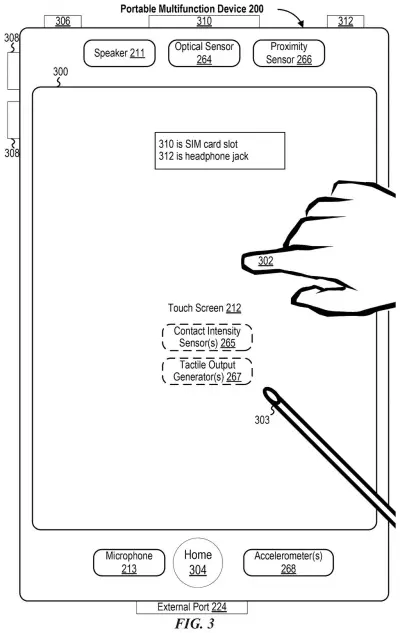
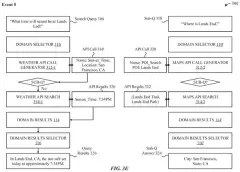
26 drawing sheets from US 2026/0368225 A1 · click any drawing to enlarge


Show the other 18 sheets


More from Apple
All 748 Apple patents →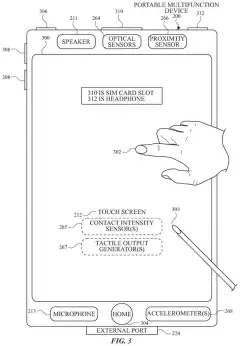
More in AI / ML
All 2,738 AI / ML patents →
Samsung
Samsung Patents a System That Decides Where Your Device Should Run Its AI Tasks
Nvidia
Nvidia Files Patent for Loading Only the Part of an AI Model a Task Needs
Samsung
Samsung Files Patent for One AI Model That Handles Many Editing Jobs
Amazon
No comments yet